
Batch Subtitle Quality Checker
Find empty cues, invalid times, overlaps and lines that are hard to read. Review each finding before handing off your subtitles.
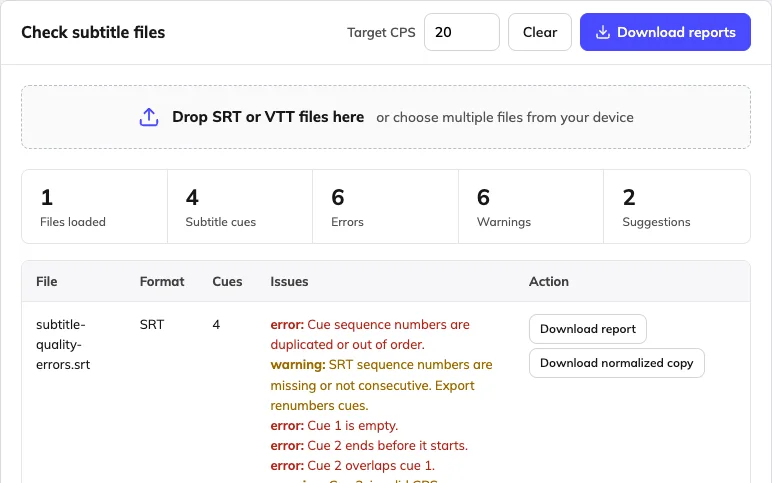
Errors, warnings & readable reportsOpen free checker →
Fix a subtitle file without installing an editor. Check, edit, convert or merge SRT and VTT files in batches, right in your browser.
Find empty cues, invalid times, overlaps and lines that are hard to read. Review each finding before handing off your subtitles.
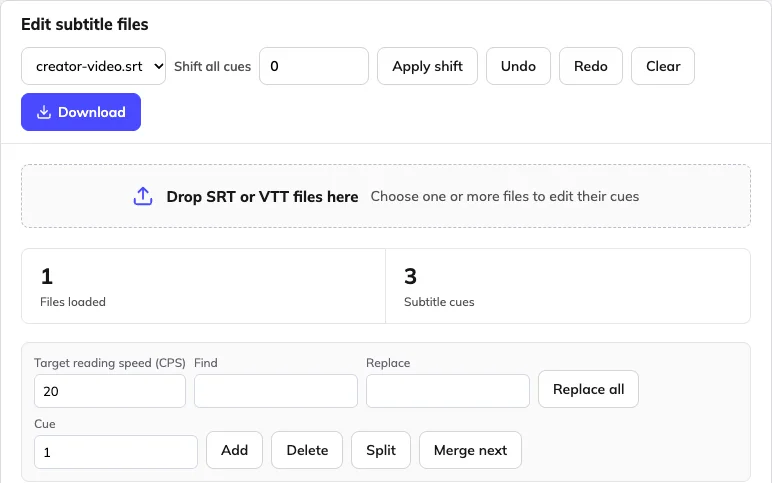
Edit wording and cue times in the selected file, or shift timing across the loaded batch. Keep a local draft while you work.
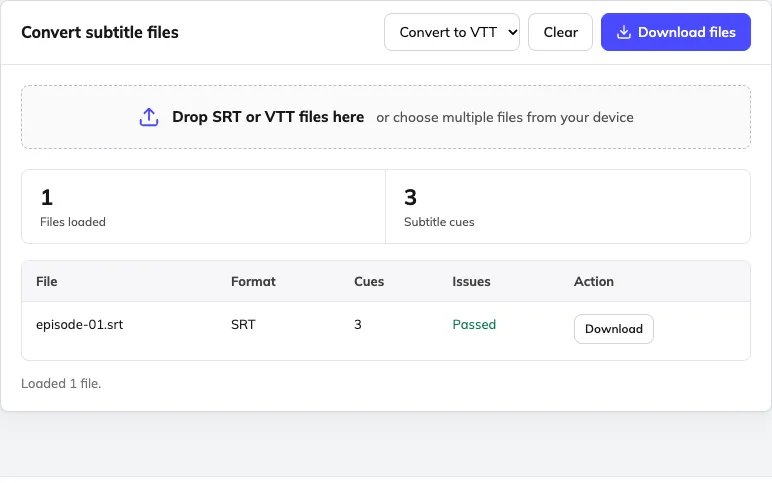
Need WebVTT for a player or SRT for an editing workflow? Convert multiple files together and download UTF-8 subtitles.
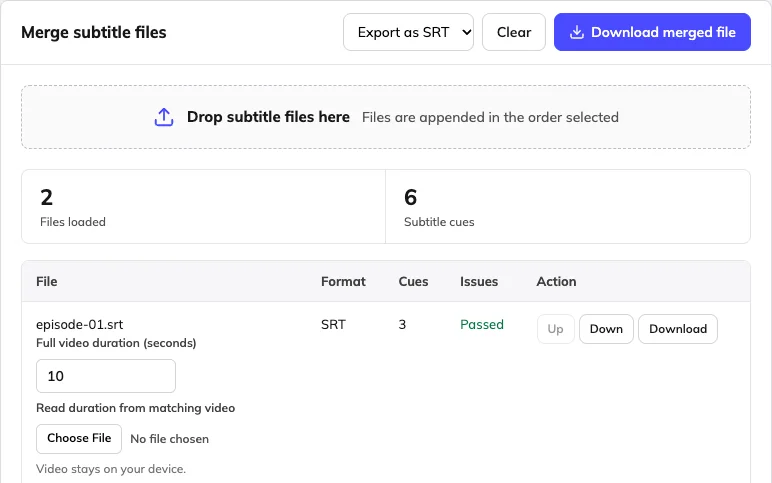
Combine episode subtitles using full video durations, or sort files already on one timeline. Preview the combined result before export.
Start from the problem in front of you. Each tool opens directly in your browser, with no account.
| Your problem | What to do | Tool |
|---|---|---|
| Subtitles appear too early or too late | Shift every cue by the same number of milliseconds | Subtitle editor → |
| A line flashes past before anyone can read it | Find fast cues, then extend, split or shorten them | Quality checker → |
| A player or platform will not accept the file | Look for invalid timecodes, then convert SRT and VTT | Format converter → |
| A series has one subtitle file per episode | Join them in order, shifted by each full video length | Subtitle merger → |
| Names or terms are wrong across many cues | Find and replace in the file, then review each change | Subtitle editor → |
| You need to hand off a batch with confidence | Check every file and download a report for each one | Quality checker → |
Most subtitle files need only one tool. When a batch is heading to translation or a platform, this is the usual order.
No file ready? Download a sample and open it in any of the tools. The error sample includes timing and readability problems so you can see what the checker flags.
Yes. Quality checking, text and timing editing, SRT/VTT conversion and subtitle merging are free without an account. Video transcription, translation, text removal and dubbing use separate Weydub workflows and pricing.
Use the checker to find file and readability problems, the editor to correct cue text or times, the converter to switch between SRT and VTT, and the merger to combine episode files or an existing shared timeline. Start with the file task you need to finish.
Download one of the examples on this page or select your own SRT/VTT file. Open the relevant tool, inspect the text or findings, make the required changes and download the result. Keep the source and test the output with the video before publishing.
Yes. The tools accept multiple subtitle files. Checker, converter and editor outputs can be downloaded in a batch ZIP; the merger creates one combined subtitle file. Practical batch size depends on browser memory and cue count.
The tools support SRT and VTT. The file tools work with subtitle text rather than a fixed list of translation languages. They can retain Unicode text such as English, Spanish, Portuguese, Chinese, Japanese, Hindi and Arabic when decoded correctly. For garbled text, choose the original encoding and inspect the preview. Exports use UTF-8; review right-to-left display in your destination player.
Use a current desktop browser on macOS or Windows; no app installation is required. A desktop screen is more comfortable for comparing cues and reviewing batches. Keep a downloaded copy of your work, especially before closing a private-browsing session.
Subtitle file processing happens in your browser, without sending the selected files to a Weydub processing endpoint. This does not describe the separate video translation or dubbing services, which process uploaded media. Keep original files and download the result you want to retain.
No. They work with existing subtitle files. Speech transcription, OCR extraction, translation and removal of text already rendered into video pixels are separate workflows. Choose the relevant video tool if the only source you have is the video.
Keep the original files and review a downloaded sample. Cue text and timing are the main supported content; advanced styles, positioning and WebVTT settings may not survive a basic export. Editor drafts are local and best-effort, not an online backup.
Use the format accepted by the destination, then test timing and text display there. YouTube supports SRT and WebVTT under its published caption rules. These tools create subtitle files; they do not upload captions, burn text into a video or approve a platform release.
A subtitle file is one part of a release. Explore the relevant workflow when you also need translation, text removal, dubbing or market-specific review.