AI Image Translator for Text in Pictures

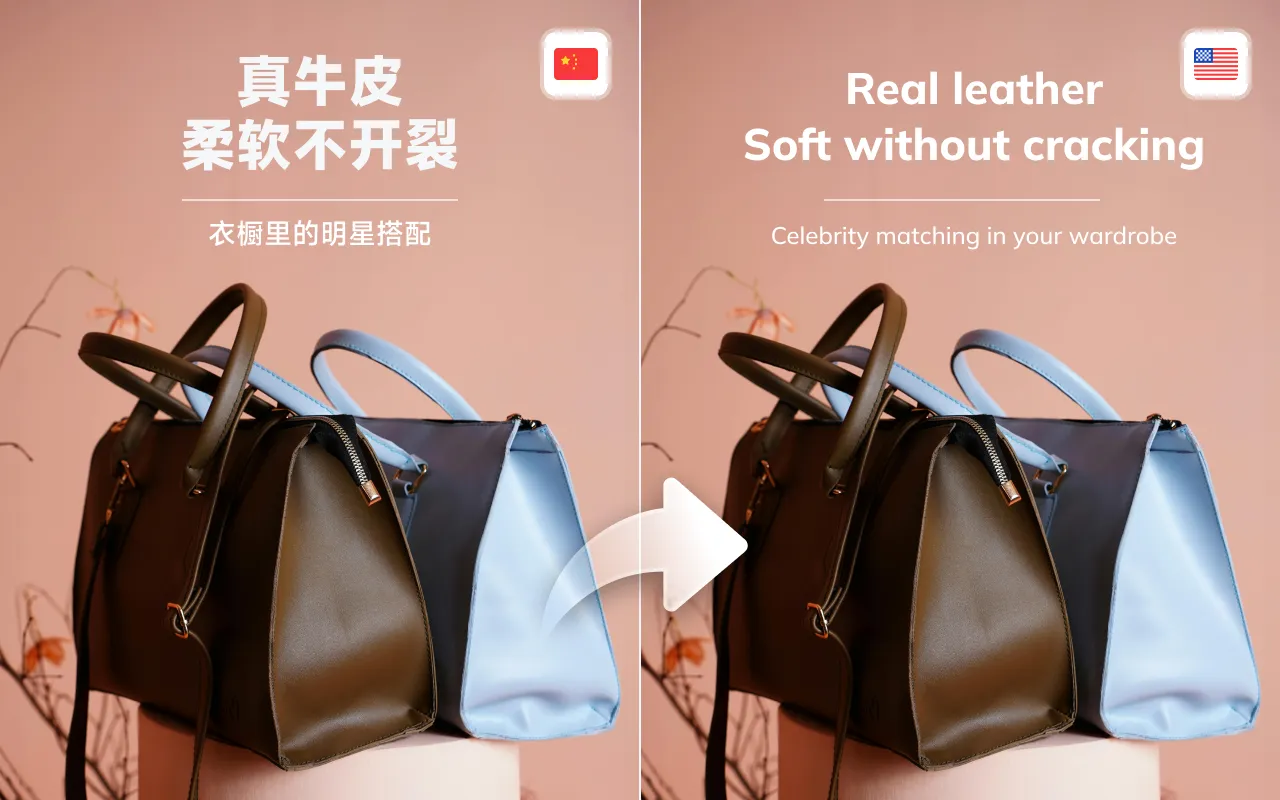
Translate text in product images, screenshots, and pictures online. Weydub reads the text, removes the original wording, translates it, and redraws the result. Protect product text and review the finished layout before downloading.
upload-icon Upload Your Images Now

≤50M, ≤2000*2000(png、jpeg、jpg、bmp)

* Source language
* Translate into
Product text protection
Translate immediately
Weydub image translation preview with localized text

How to Translate Text in an Image Online

Translate images into other languages in 3 easy steps with Weydub
01

Upload Image File

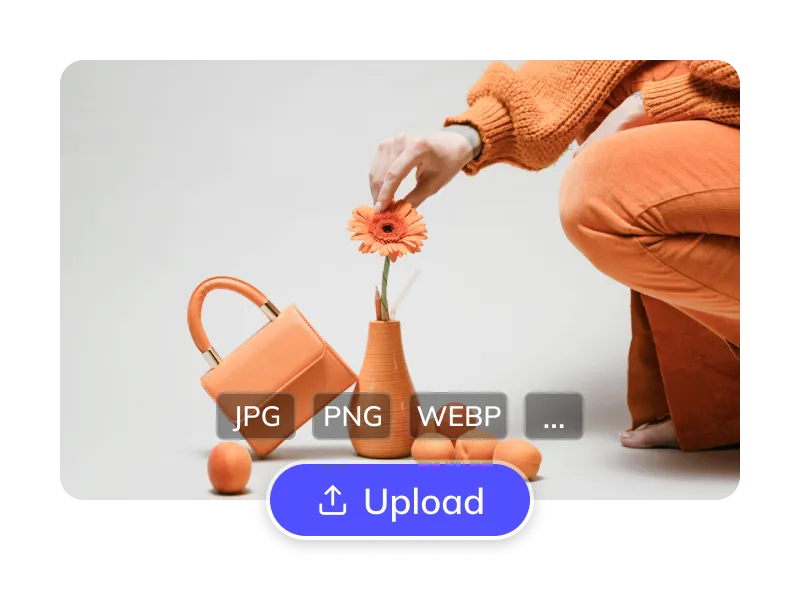
  • Upload a supported image, such as JPG, PNG, or WEBP. For a scanned page, upload an image of the page.
Upload Image File
02

Select Languages & Options

  • Select the source and target languages. Enable product-text protection when brand names or product labels should stay unchanged.
Select Languages & Options
03

Process & Download

  • Review the translated wording, reconstructed background, and layout. Refine eligible fields, then download the localized image.
Process & Download

Translate a picture, extract its text, or protect product details?

An image translator should deliver the asset you need, not just a list of translated words. Choose what to translate and what must stay unchanged.

01

Translate text in an image

Create a target-language picture for a product page, campaign, or screenshot.

  • Recognize embedded text with OCR
  • Remove source wording from the background
  • Translate and redraw the target-language text
02

Protect product text

Use product-text protection when names and model numbers should stay in their original form.

  • Keep brand and model details in mind
  • Translate the surrounding marketing copy
  • Check prices, measurements, and legal wording
03

Review the finished layout

Check the translated image as a design asset before it goes live.

  • Inspect longer lines and small text
  • Review reconstructed backgrounds
  • Fine-tune eligible text and style settings
Source or taskWhere to start
OCR / image to textExtracts readable words. Useful for a text transcript, but does not by itself create a translated picture.
Text translationChanges the language of the recognized text. It still needs placement, line breaks, and background reconstruction.
Image translationCombines OCR, source-text erasure, translation, and redraw to produce a localized image.
Product-text protectionHelps avoid translating text on the product. Inspect the result and adjust the option if needed.

Trusted by 2,000,000+ Creators and E-commerce Businesses

  • akulaku
  • alibaba
  • anker
  • bilibili
  • crazy_maple
  • dianzhongkeji
  • dreame
  • eclicktech
  • ecovacs
  • fujitsu
  • giikin
  • jingdong
  • jowo
  • kwai
  • mobvista
  • tellernovel
  • weee
  • youdao

Why Choose Weydub for Image Translation?

Recognize embedded text, replace the source wording, and prepare a translated image with editing, batch processing, and API options.

100 Language Support

100+ Language Support

Translate between 100+ languages (incl. rare), auto-detects source, handles mixed CJK/English.
Advanced OCR Precise Translation

Advanced OCR & Precise Translation

AI accurately recognizes all text types (slanted, vertical, handwritten) using advanced OCR; multiple engines & LLM ensure fluent, natural translation of image text.

Seamless Original Text Erasure

Seamless Original Text Erasure

AI precisely erases original text for a clean, natural, high-fidelity background, blur-free.
100-Language-Support

Smart Refill & Typesetting

AI analyzes original style, smartly refilling translated text for neat layouts that preserve formatting, minimizing manual edits.

Deep E commerce Optimization

Deep E-commerce Optimization

Optimized for e-commerce: smart protection for brand/model text, translates marketing copy only.
Special Text Handling

Special Text Handling

Translates slanted, vertical text; merges multi-line text for accuracy, including handwritten text.

Online Editor

Online Editor

Online editor for manual fine-tuning of AI results if needed.

Bulk Translation

Bulk Translation

Batch process up to 100 images at once for boosted efficiency.

API Integration

API Integration

API for image translation & editor; access erased images, original/translated text.

Accessible Cost Effective

Accessible & Cost-Effective

Check the current pricing page and your account for available trial credits. Review the cost shown for your image task before submitting.

Compare Image Translation Workflows

Choose the workflow for your output: reading text in a picture, downloading a translated image, or localizing a product catalog.

WorkflowGoogle TranslateTransmonkeyWeydub
Image translationTranslate image text, select part of the text, and work with the translation.OCR, translate, remove original text, and redraw the translated image.OCR, source-text removal, translation, and layout-aware redraw.
Product-text controlProduct-text protection is not described in the referenced image help page.Product-text protection is not described in the referenced product page.Product-text protection option for text that should remain on the product; review names and numbers.
Batch and automationThe referenced help page focuses on image and camera translation.The product page describes bulk translation/export and a browser extension.Batch workflows and asynchronous image translation API; access and limits depend on the account.
Before publishingCheck the recognized and translated text.Check the downloaded translated image.Review translated copy, background repair, product details, and line breaks; refine eligible text/style fields.

Sources: Google image translation help · Transmonkey image translator · Weydub image API. Reviewed October 22, 2026. The comparison describes these pages, rather than every plan or feature.

How Weydub Translates Text and Rebuilds the Image

Recognize Text and Translate It in Context

Weydub uses OCR to recognize text and its position in the image, then translates the wording with the surrounding context. Product-text protection helps distinguish marketing copy from text that should stay on the product. Review brand names, numbers, and short labels before approving the result.

Translate picture now
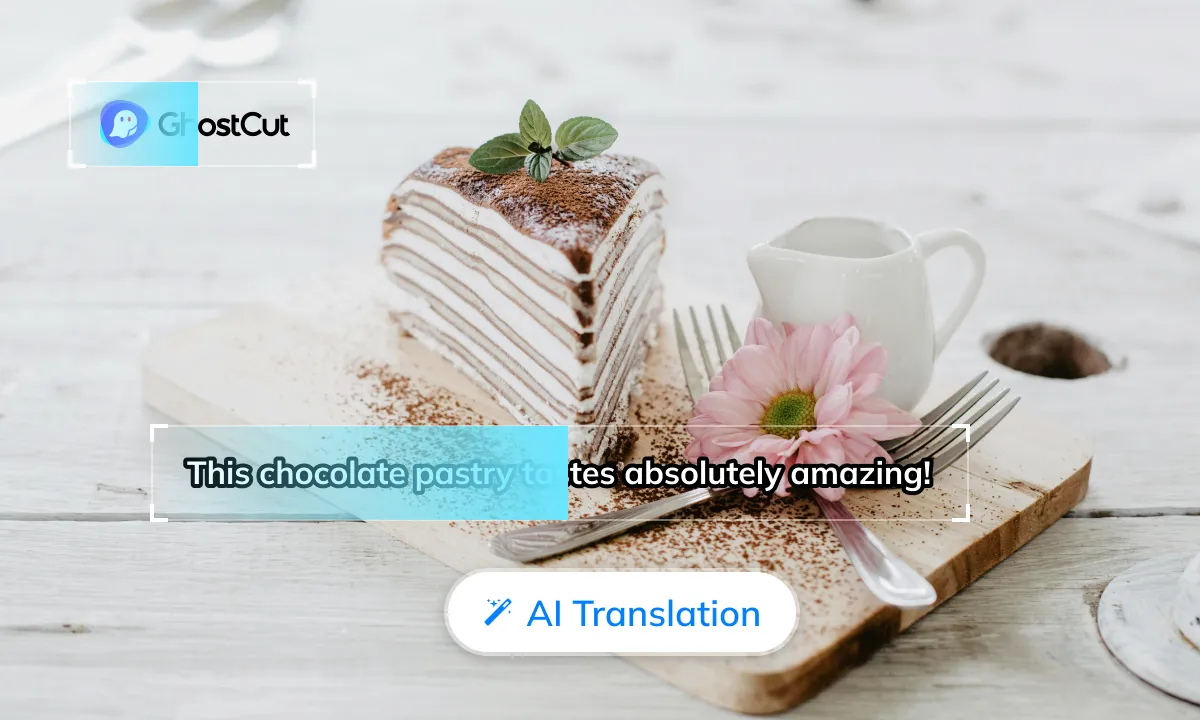
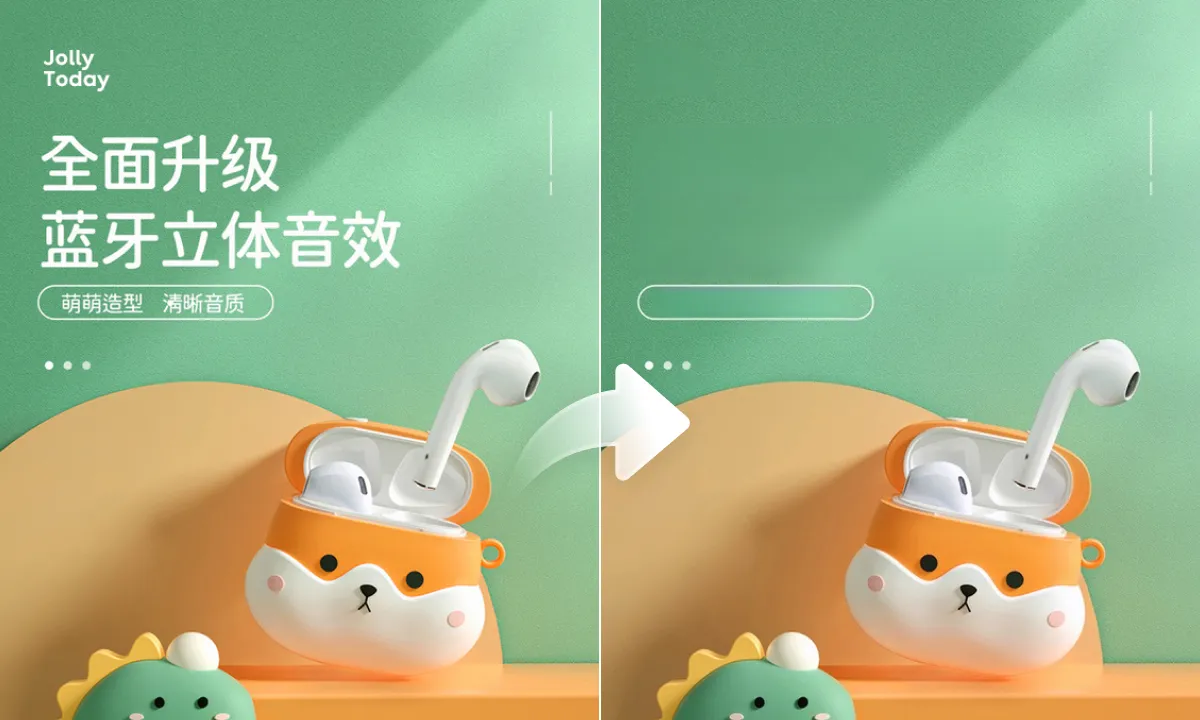
Image translation workflow example

Remove Original Text and Repair the Background

Weydub excels at text erasure. Analyzing "bad cases" (blurs, color issues, residue), we use advanced segmentation, background restoration, and texture generation. AI locates text, learns background details (color, texture, light), and repairs with seamless content-aware fill. Even on complex/gradient backgrounds, it ensures natural transitions and perfect restoration for a traceless, clean visual.

Translate picture now

Fit the Translation Back into the Layout

The translated wording may be longer than the original. Weydub uses layout and style information to place it back into the image, including available space, font size, color, and line breaks. Check crowded regions and use eligible editing controls to refine the finished asset.

Translate picture now
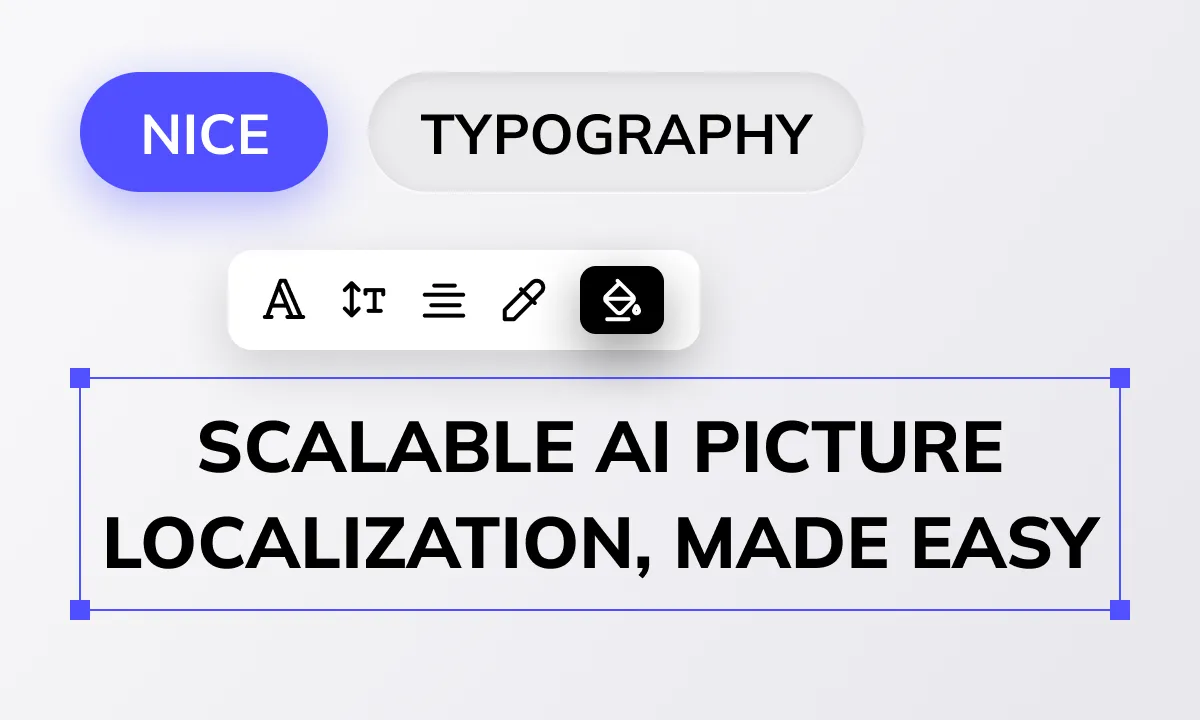

Image translation workflow example

Image Translation for Products, Screenshots, and Comics

subtitlegenerator-scene

E-commerce Platforms

E-commerce platforms need rapid, accurate localization of massive product images to boost user experience and sales. Weydub's API enables batch automatic image translation within platforms. Our AI ensures accurate translations, optimized layouts, and aesthetic appeal.
subtitlegenerator scene

Product Listings and Marketing Images

Cross-border sellers need high-quality localized product images to win markets and boost conversions. Weydub translates main images, graphics, and posters into 100+ languages, with product text protection, AI seamless erasure, and smart typesetting for clear, professional results.
subtitlegenerator scene

ERP and Localization Integrations

Businesses need to manage multilingual product images within ERPs. Weydub's stable, efficient API allows ERP providers easy integration for batch translation of product images, spec diagrams, and promotional visuals directly in the ERP, simplifying workflows.
subtitlegenerator scene

Product Instructions and Feature Images

Global consumer electronics brands require clear multilingual manuals, guides, and marketing visuals. Weydub accurately translates technical terms and interface text in images, using smart erasure and professional typesetting for market-specific instructional diagrams and ads.
subtitlegenerator scene

Charts, Diagrams, and Reference Images

Professionals (designers, analysts, researchers) often handle images with foreign text like mockups, report charts, and academic illustrations. Weydub provides high-quality text recognition, translation, and intelligent typesetting to maintain professional appearance.
subtitlegenerator scene

Presentation Images

Rapid PowerPoint localization is crucial for global business and academia. Weydub accurately translates text in PPT-embedded images (charts, screenshots, flow diagrams), with AI ensuring seamless background integration and optimized layouts.
subtitlegenerator scene

Manga and Comic Panels

Manga creators and localization groups need to translate extensive in-image text (dialogue, sound effects). Weydub is optimized for manga, accurately translating dialogue, handling sound effects, with clean AI erasure and target-language typesetting.
subtitlegenerator scene

Visual Learning Materials

Educators need to process multilingual teaching materials like charts and scanned documents. Weydub accurately translates text in these images, preserving layout for easy understanding and presentation. This allows swift conversion of foreign visual aids into teaching materials or multilingual courseware, broadening student horizons.

Localize Image Catalogs with Batch Processing and API

Use the web workflow to inspect individual product images, or connect image translation to a catalog pipeline through the API. Review a sample with your actual text and backgrounds before processing a batch. Limits and API access depend on your account.

Explore the API  ·  Open the workbench

Before you process the full batch

  1. Choose the source and target languages and product-text protection setting.
  2. Review OCR, translated copy, repaired backgrounds, and line breaks on a sample.
  3. Submit the remaining images and inspect product-critical details before publishing.

Watch the Image Translation Workflow

Frequently Asked Questions

  • What is the difference between image translation and image-to-text OCR?

    OCR extracts the words from a picture. Image translation also translates those words, removes the original text, and redraws the target-language wording in the image so you can download a localized visual asset.

  • Can I translate product images without translating brand names?

    Use product-text protection to help retain text on the product while translating surrounding copy. Check the result, especially model numbers, measurements, prices, and brand names. Adjust the protection option if important copy was skipped.

  • Can I translate screenshots and manga images?

    You can upload images containing readable text, including screenshots and comic panels. Review small interface labels, speech bubbles, decorative fonts, and crowded layouts because recognition and translated line breaks depend on the source image.

  • Is Weydub AI Image Translation free to use? Is there a free trial?

    Sign in to check your available credits and any trial allowance. Review the current pricing page and the cost shown before submitting an image translation task.
  • How do I use the Image Translator?

    Simple: Visit our website, upload your image file, select languages & options, then click translate to view & download the result.
  • How accurate and effective is the image translation?

    Highly accurate. Our AI recognizes text with advanced OCR, and multiple engines plus LLM ensure fluent and precise translation.
  • Can I translate image text without losing formatting?

    Yes, AI intelligently analyzes and aims to preserve the original image's layout and style as much as possible.
  • Is the text erasure effect clean after image translation? Will it blur the background?

    Results depend on the background, text size, and image quality. Inspect repaired areas for blur, residue, or changes to product details before using the translated image.
  • Can I translate only parts of the text in an image or protect certain text from translation?

    Yes, our smart product text protection feature allows you to translate only selected marketing copy while protecting brand names or model numbers.
  • How is Weydub different from other online image translation tools?

    Weydub excels in its seamless erasure quality, intelligent typesetting, deep e-commerce specific features (like product text protection), and overall higher first-time usability rate.
  • What image formats and sizes are supported?

    Supports PNG, JPEG, JPG, BMP, GIF formats. Image size is limited to 50MB, with dimensions not exceeding 2000x2000 pixels.
  • How many images can I process at once, or are there any limits?

    Batch size and usage limits depend on the selected workflow and your available credits. Check the limits and estimated cost shown in the tool before submitting.
  • What languages does image translation support?

    Supports translation between over 100 languages, including less common ones, with auto-detection of the source language.
  • Does it support batch image translation?

    Use the batch options available in the image translation tool. Check its current upload limits, review each image, and confirm the cost before submitting the batch.
  • How long does image translation take?

    Processing time varies with image size, text density, selected options, and service load. Follow the task status in the workspace and review the result when processing finishes.
  • Can I operate it on my mobile phone?

    Yes, it's accessible on iPhone or Android devices. A mobile web is also available for convenience.
  • What's the difference between the web and mobile versions?

    The web version supports full batch operations and the online editor. We recommend using the web version for comprehensive image translation tasks, which supports cross-platform use (Windows, Mac).
  • Can translated images be used for commercial purposes?

    For commercial use, make sure you have the necessary rights to the source images, text, trademarks, and other included content. Review the applicable terms and local requirements before publication.
  • How do I download the translation results?

    After processing, you can preview the results online and directly download the translated image files.
  • Can I edit the results if I'm not completely satisfied with the translation or layout?

    Yes, an online editor is available for fine-tuning translations or layout adjustments.
  • What does it mean to translate an image?

    It means translating text found within a picture or photo into a different language. Our tool uses OCR to find the text, translates it, and then visually replaces the original text while aiming to preserve the layout.
  • How can I extract text from a picture? What is OCR and its role in image translation?

    Yes, you can extract text from pictures using our OCR (Optical Character Recognition) technology. OCR converts image text into editable text, which is the first crucial step before translation.
  • What payment methods are available?

    Check the payment methods shown at checkout. Available options depend on your region and payment provider.
  • Is my payment information secure?

    Absolutely. Transactions are handled securely by third-party payment providers using advanced encryption.
  • Do students get education discounts?

    We may offer education discounts. Please contact our customer service for current details and eligibility.
↓View More
↑Collapsed More

Voice of Customers

"Weydub boosted our e-commerce image translation efficiency 5x! AI handles erasure & layout perfectly and protects our brand text. Huge relief!"

Emilia Schmidt

Director of Operations, German Fashion E-commerce

"Our social media images reach global markets faster with Weydub. Accurate, multi-language translations are instantly usable, shortening content release cycles."

Sato Aiko

Marketing Specialist, Japanese Beauty Brand

"Weydub handles manga dialogue bubbles incredibly well. Font and layout are restored far better than any other tool I've used!"

김민준 (Kim Min-jun)

Independent Korean Manga Artist

"Translating charts in scanned research documents is now easy with Weydub, and clarity is even optimized. A godsend for research!"

Jean-Pierre Dupont

Professor of History, France

"Weydub quickly converts English/Japanese in courseware images to Chinese with neat layouts, saving me so much manual work!"

María González

Spanish Online Language Course Developer

"Weydub's translation of text in our PPT screenshots is fantastic! Natural background erasure, professional layout. Clients are impressed."

David Smith

Project Manager, UK International Consulting Firm

"Weydub's batch translation and API for our multilingual product images offer high automation, cutting localization costs and speeding up launches!"

Ravi Patel

Head of Multilingual E-commerce Platform, Indonesia

"Weydub accurately translates our tourism brochure captions while maintaining image aesthetics, greatly boosting our destination's appeal."

Анна Иванова (Anna Ivanova)

Overseas Promotion Specialist, Russian Tourism Bureau

"As a designer, Weydub quickly translates annotations in foreign design drafts, helping me grasp concepts faster. Very practical!"

Sophia Rossi

Art Director, Italian Advertising Agency

"Weydub accurately translates our game's UI and skill description images, matching font styles well. Excellent localization!"

Carlos Fernandes

Head of Internationalization, Brazilian Game Developer

"Our foreign trade catalog image descriptions are translated quickly and beautifully by Weydub. Clients easily understand product info, improving communication."

Nguyễn Minh Huệ

Sales Supervisor, Vietnamese Foreign Trade Company

"Unlike inaccurate free tools, Weydub's free trial offers professional-grade results. Worth paying for!"

Olivia Jones

Owner, Canadian Small Handicraft Business

"Weydub quickly translates text in our overseas market research charts, with multi-line merge ensuring data coherence. Great for analysis!"

Benjamin Müller

Data Analyst, Australian Market Research Firm

"Weydub's surprisingly good at recognizing and translating less common scripts in historical documents, speeding up my research."

Isabel Cohen

Archaeological Researcher, Israel

"Weydub's 'product text protection' for our food blog's recipe images is fantastic—ingredient brands aren't mistranslated, making recipes more professional!"

Chen Meiling

Food Blogger, Singapore

"Weydub's AI accurately translates technical terms in patent drawings while maintaining clarity, a great help for our patent agency."

Lee Jae-hyeon

Patent Agent, South Korean Patent Firm

"Weydub's batch processing and API for our conference PPT charts ensure timely and accurate materials. A workflow lifesaver!"

André Petrov

Project Coordinator, Swiss International Conference Services Company

Translate Your Images into Major Global Languages

Source Language (Auto-detect, 100+ supported)
Target Language (100+ supported)

Go Deeper into the Workflow

Image Translation: It's Time for an Upgrade.

Tired of post-translation edits from unclean erasures, inconsistent fonts, and messy layouts? Weydub's self-developed models deliver beautiful, accurate translations in 100+ languages (Japanese, Korean, Russian, Thai, Tibetan included).

Try AI Image Translation for Free Now