
How to Automatically Remove Hardcoded Text from Your Simplified Chinese Videos?
Effortlessly eliminate hardcoded subtitles and text from Simplified Chinese videos with Weydub using these 3 steps


-
01Upload/PasteUpload files (batch supported) or paste Simplified Chinese video URLs.
-
02SettingsSelect removal quality level. Optional: Add translation, etc.
-
03DownloadReview the cleaned video for leftover text and changes to the background, then download the result.
Hardcoded Subtitles in Simplified Chinese Videos Limit Global Reach.
Simplified Chinese subtitles use Hanzi, often with dense strokes and visible outlines. Select the entire caption region, including punctuation, shadows, and any second line. Inspect small stroke remnants at the region edges and review reconstructed areas over faces, textures, and moving objects. Removing hardcoded text involves repairing its visible area, not identifying or translating every character.
Removing Hardcoded Texts from Simplified Chinese Videos is Difficult, but We Did It.
Mainland China's vast, growing media output (film, TV, docs, shorts) faces globalization limits due to hardcoded Simplified Chinese subs. On YouTube/TikTok, these hinder non-Chinese understanding and block platform translation, impacting views/spread. Professional Simplified Chinese hard subtitle removal tools are needed. Removing native subs and adding target language ones is key to enhancing UX, accessibility, video SEO, and global reach.
Why Use Weydub for Erasing Simplified Chinese Video Subtitles & Text?
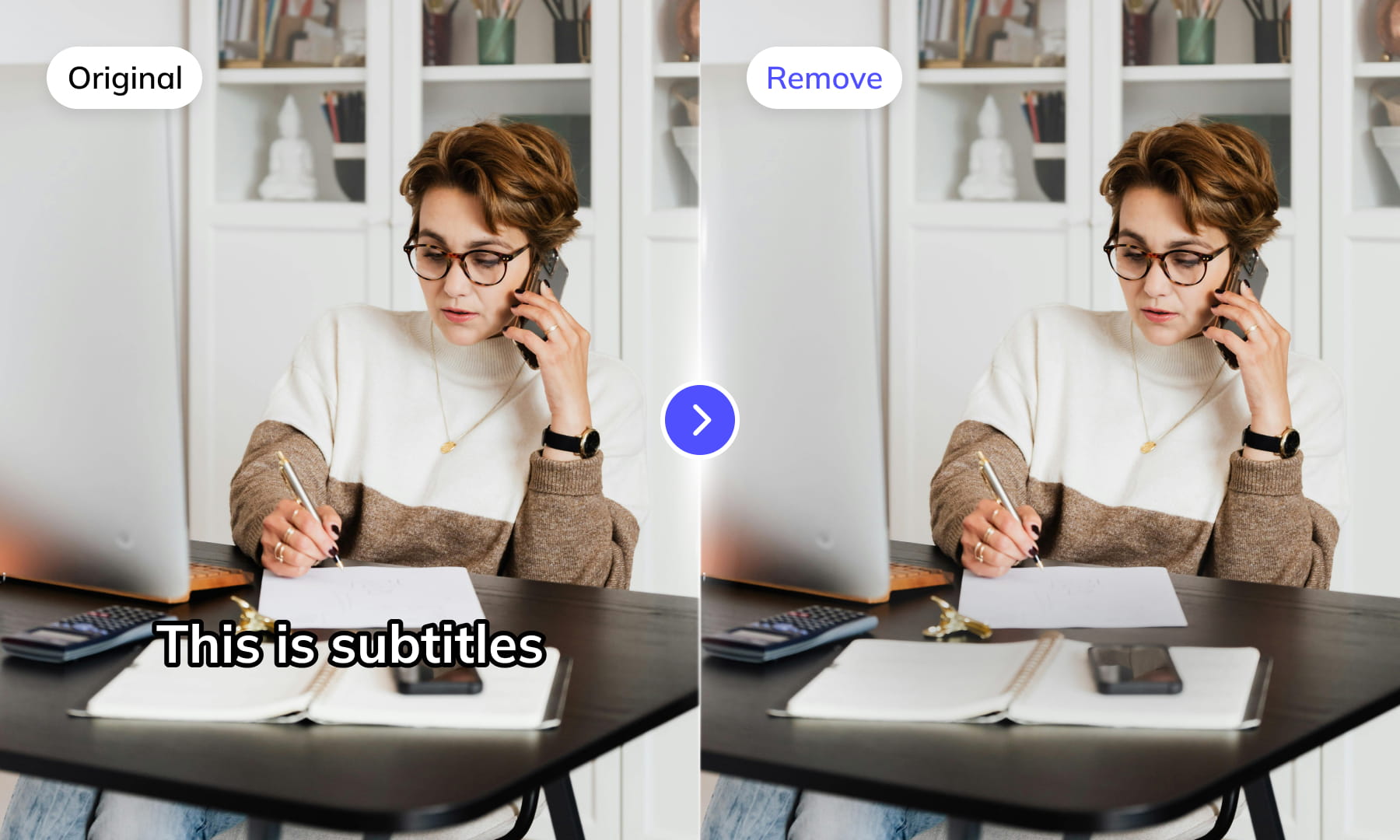
Use Weydub to remove selected subtitles and on-screen text from video. Review the repaired background and retained graphics before downloading the result for editing or localization.
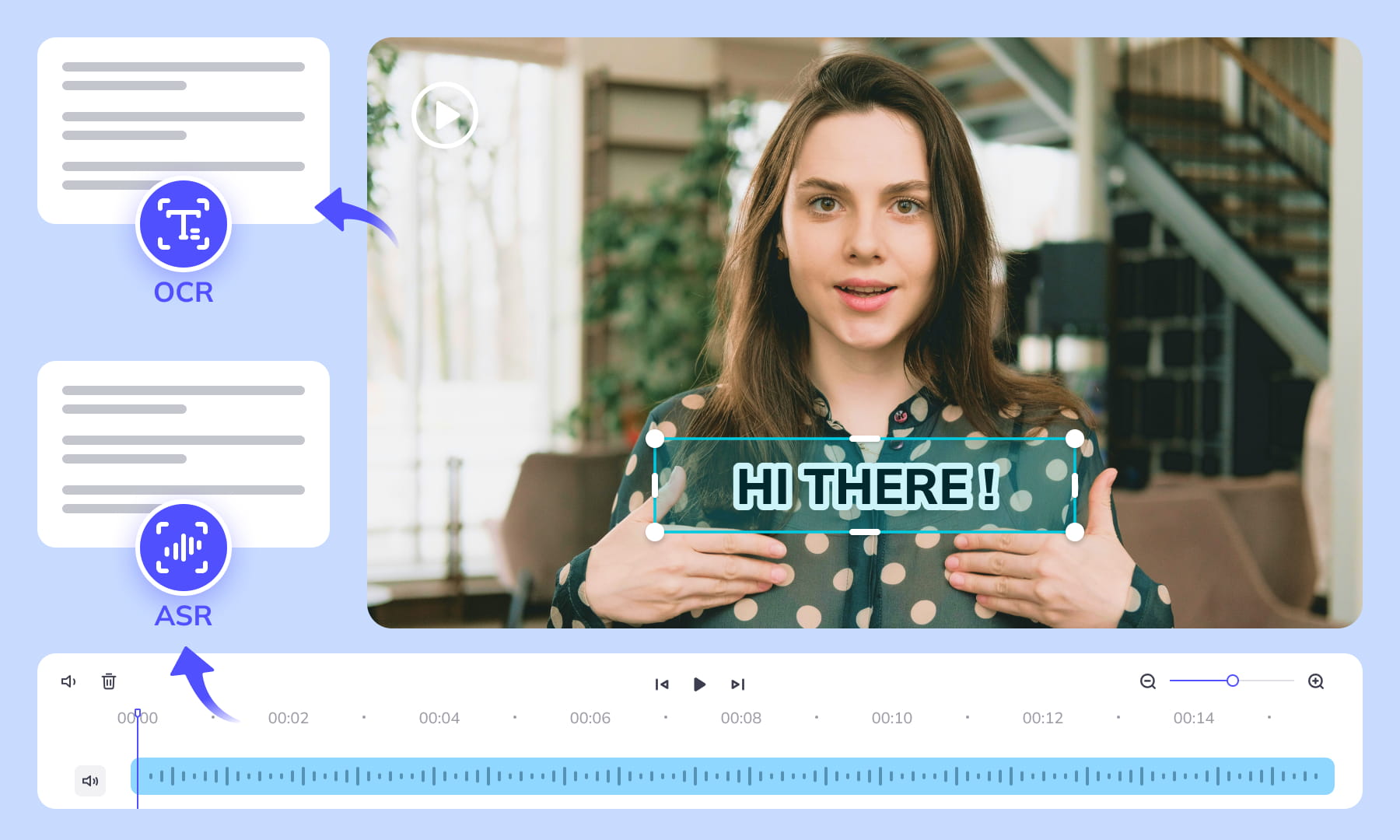
AI-Assisted Text Selection
Use AI-assisted text detection to prepare the cleanup. Review the selected regions and keep any text or graphics that should remain. Inspect the repaired video before moving it into the next workflow.
Background Repair and Review
AI repairs the area behind removed text. Results depend on the background, motion, and text placement. Compare repaired frames with the source, especially around faces, fine textures, and scene changes.
High-Volume Batch Capabilities & API Integration
Organize subtitle and text removal across multiple video files with batch workflows. Use the API for automated submissions, and check the settings and results for each source video.
Intelligent Multi-Language Support
Our system automatically identifies and removes text or subtitles in many languages. This is essential for repurposing content internationally and ensuring your AI video tools cater to a global audience, especially when working across multiple platforms.
Review Pricing Before Submission
Check the current Pricing page and the estimate shown for your task. Choose the processing options that fit the footage, and review the displayed cost before confirming.
Browser-Based Convenience
No downloads or installations necessary! Conveniently remove text from your Simplified Chinese videos online through our intuitive subtitle removal interface. Compatible across platforms (Windows, Mac) and mobile devices (iPhone, Android).
One-Stop AI Localization Workflow Effortlessly Globalize Your Videos
Weydub offers a revolutionary, all-in-one platform where every step, from subtitle generation to final rendering, seamlessly integrates.

Project Management
Organize projects and source assets for batch workflows. Review task settings and outputs for each video before delivery.




Export & Download
Review subtitle timing and any dubbed audio before delivery. Check the video and project export options available for the selected workflow.
Remove More Text from simplified chinese Videos for Easier Reuse


Frequently Asked Questions
Where can I check pricing and available trial credits?
Check the current Pricing page and your account balance before submitting a task. Available trial credits, paid options, and the cost shown for your selected workflow should guide your decision. Review the task settings and displayed estimate before confirming; this guide does not promise a fixed free allowance or a specific price.How do I mark hardcoded Simplified Chinese subtitles?
Select each text region containing subtitles burned into the video image. Keep the region close enough to cover complete Chinese characters, punctuation, and edge shadows without including unrelated graphics. If subtitle placement changes between scenes, inspect those sections separately so the selected area continues to match the visible text.Should scrolling Chinese text use one removal region?
A fixed region may not cover scrolling Chinese text as it moves across the frame. Review the full path of the text and account for characters entering or leaving the visible area. If the ticker overlaps captions or logos, treat those text layers separately to avoid removing more of the image than intended.How do I remove Chinese text over complex backgrounds?
Background repair is harder to judge when Chinese text crosses faces, patterned clothing, signs, reflections, or moving objects. Check repaired frames at normal size and around scene changes. Look for softened edges, repeated textures, unstable patches, or missing details, then revise the text region when it includes too much surrounding imagery.Do I need professional video editing experience?
Start by choosing footage and identifying the text you want to remove. You do not need a full editing project, but you should compare the repaired frames with the original video before publishing. Moving backgrounds, overlapping graphics, and text near faces may require closer review and adjustments to the selected region.Can I remove subtitles without deleting Chinese signs?
Use separate text regions when hardcoded subtitles appear near Chinese signs that must remain. Follow the subtitle position across shots, especially when camera movement brings a sign into the selected area. Review overlapping frames carefully, because subtitle characters and meaningful environmental text can share similar size, color, and stroke weight.What if Chinese subtitles use multiple text layers?
Treat the main subtitle, speaker label, translation line, and decorative title as separate text layers when their positions or durations differ. Removing them independently makes it easier to preserve wanted text. Inspect transitions where one layer disappears before another, since a single broad region may unnecessarily alter the background.How do dense Chinese characters affect region selection?
Simplified Chinese characters can contain dense strokes and compact punctuation, so a selection that is too tight may leave visible fragments or outlines. Include the full character shapes, punctuation marks, and styling such as shadows. Avoid expanding the selection across faces, logos, or signs that should remain in the video.How should I review fast Chinese dialogue subtitles?
Fast spoken dialogue can produce brief subtitle changes and closely spaced lines. Review the video around each dialogue turn rather than checking only still frames. Confirm that every short-lived Chinese caption is removed and that repaired backgrounds remain stable when successive subtitle lines occupy slightly different widths or vertical positions.Why check Chinese terminology after text removal?
Consistent terminology helps reviewers distinguish repeated subtitles from product names, labels, or branded Chinese text that should remain. Create a short keep-or-remove list before review, then compare recurring terms across scenes. This reduces the risk of erasing meaningful interface labels while leaving unwanted subtitle text in place.What should I inspect before downloading the clean video?
Review the complete output before downloading it. Check every former subtitle area for leftover strokes, blurred blocks, flicker, or texture changes, and inspect scene cuts where text regions shift. Also confirm that wanted Chinese titles, signs, and labels remain visible and that the downloaded output matches the version you reviewed.What should I check before uploading private or licensed footage?
Use footage you are entitled to process and check the current privacy policy and service terms before uploading sensitive material. For client projects, confirm that the agreed handling of faces, voices, personal details, and licensed media permits this workflow. Ask support about any specific retention or processing requirement rather than assuming a promise from this guide.
Common Removal Review Scenarios
Review the repaired regions in context before you reuse or localize the video.