
Subtitle extraction
OCR and ASR are different starting points for subtitles
On-screen text and spoken dialogue require different evidence, correction, and timing paths.
Key conclusions
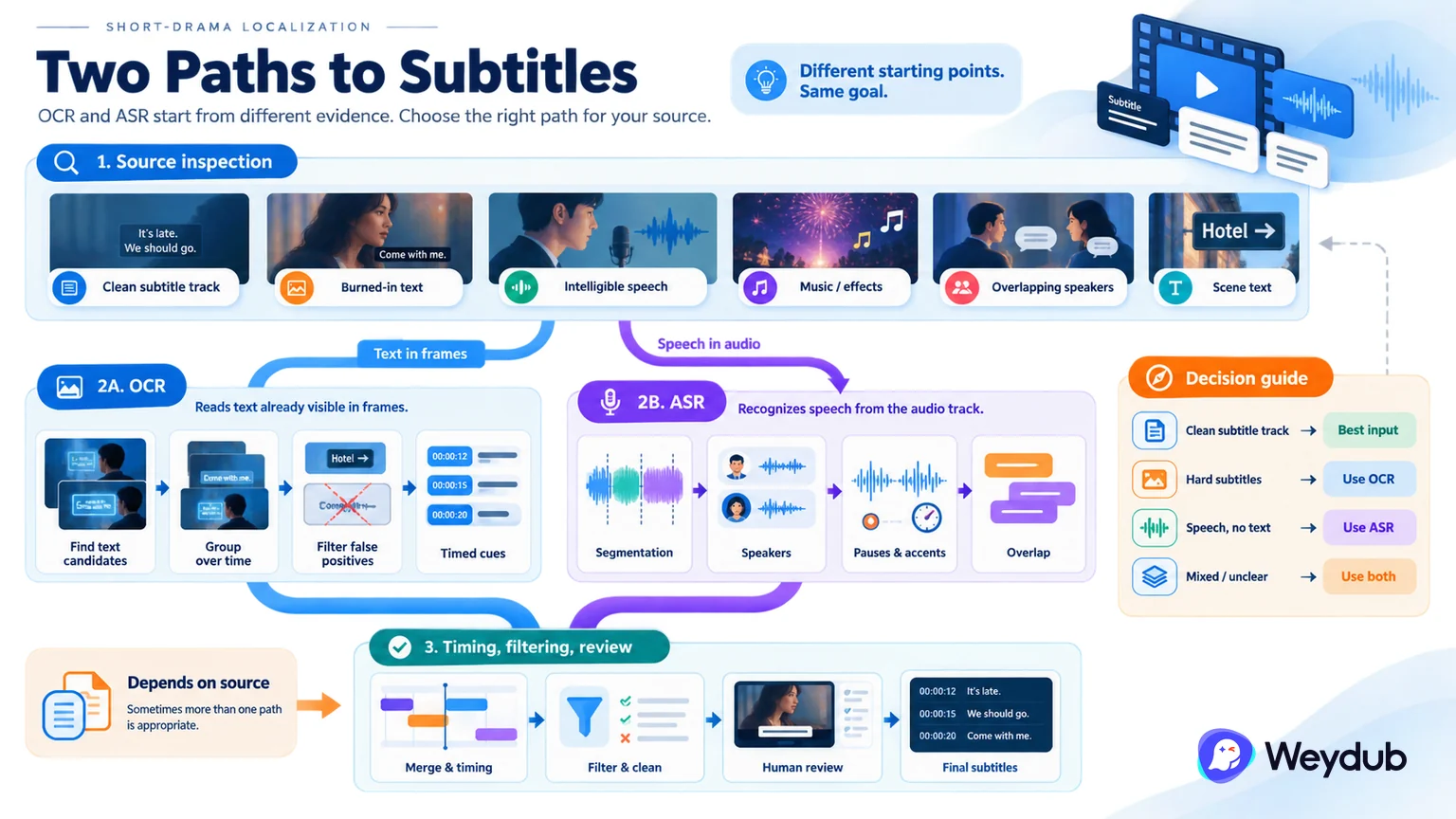
- Video OCR reads text already visible in frames.
- ASR recognizes speech from the audio track.
- Neither path removes the need for timing, filtering, and review.
Video OCR is useful when the source contains burned-in subtitles or other visible dialogue text. A practical pipeline looks for text candidates across frames, groups repeated observations over time, filters scene text and false positives, then turns the surviving regions into timed cues.
ASR starts from speech. It is useful when the audio is clear and the source text is missing, but it must still handle segmentation, speakers, pauses, accents, overlap, and subtitle reading speed. Its output is not automatically equivalent to the text visible in the picture.
The right starting point depends on the source. A clean subtitle track may be the best input; hard subtitles may make OCR the direct path; speech without text may require ASR. Production systems should keep these paths explicit so teams know what was observed, what was inferred, and what still needs review.
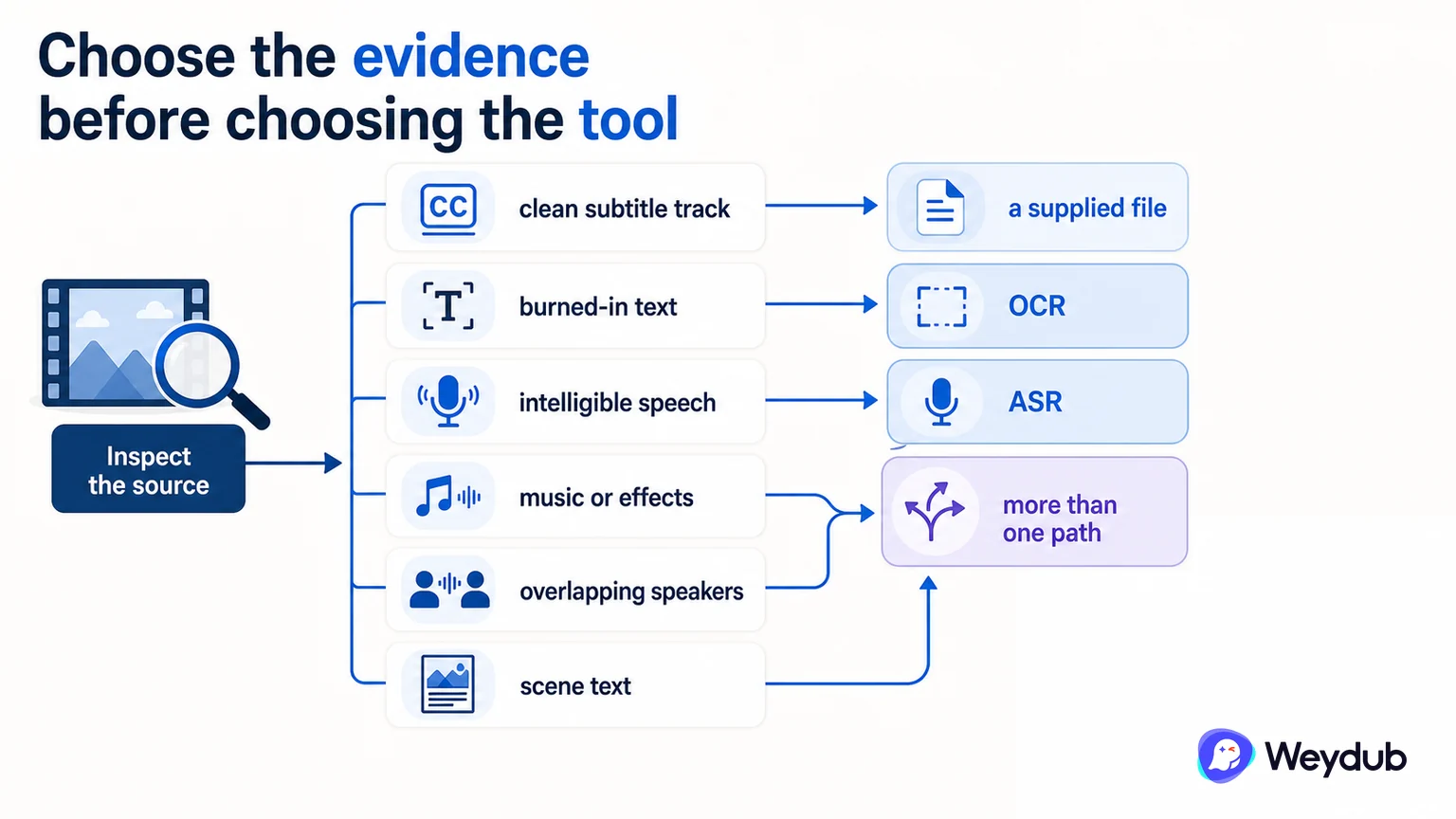
Choose the evidence before choosing the tool
Inspect the source for a clean subtitle track, burned-in text, intelligible speech, music or effects, overlapping speakers, and scene text. The source condition determines whether OCR, ASR, a supplied file, or more than one path is appropriate.
| Input condition | Primary path | Main risk to check |
|---|---|---|
| Clean subtitle file | Validate and reuse the file | Wrong version or timing |
| Burned-in subtitles | Video OCR | Scene text, motion, font, and false positives |
| Clear speech without text | ASR | Accent, overlap, music, and segmentation |
| Hard subtitles plus clear audio | OCR and ASR cross-check | Conflicting wording or timing |
OCR follows visible text through time
A reliable video OCR path detects candidates, groups observations across adjacent frames, filters logos and scene text, corrects recognition errors, and emits timed cues. The region and time range remain useful evidence for review and picture cleanup.
- Detect text candidates in representative frames.
- Group repeated observations into temporal cues.
- Filter scene text and false positives.
- Correct wording and compare with audio where useful.
- Review timing, breaks, and reading speed before export.
ASR follows speech, not the picture
ASR can reconstruct dialogue when audio is usable, but it does not know which visible text belongs to the dialogue. Speaker changes, pauses, accents, music, and overlapping lines require segmentation and review.
- Check audio clarity and background interference.
- Mark speaker changes and overlapping speech.
- Control cue length, pauses, and subtitle reading speed.
- Compare names and terms with the series record.
Keep the two paths explicit
OCR and ASR can be compared or used together, but one should not be described as an automatic replacement for the other. Record which evidence produced each cue and what was corrected.
Frequently asked questions
Should OCR and ASR always be combined?
No. Use the path supported by the source. Combining them can help cross-check hard subtitles and clear speech, but it also creates another reconciliation step.
Is an OCR result ready to translate immediately?
Usually not. Filter scene text, correct recognition, verify timing and reading speed, and freeze the source version first.
Can ASR recover text that never appears in the video?
It can recover spoken dialogue from usable audio, but off-screen speech, overlap, music, and unclear pronunciation still need review.
Related theme: Subtitle and language systems
Weydub workflow
Take the next production step
Turn source video into reviewable subtitle material, then carry approved context into translation and delivery.