
Method guide
How to remove subtitles from video with a moving background
Choose the smallest reliable region, inspect the source motion, and review the repaired frames before treating a cleaned master as ready.
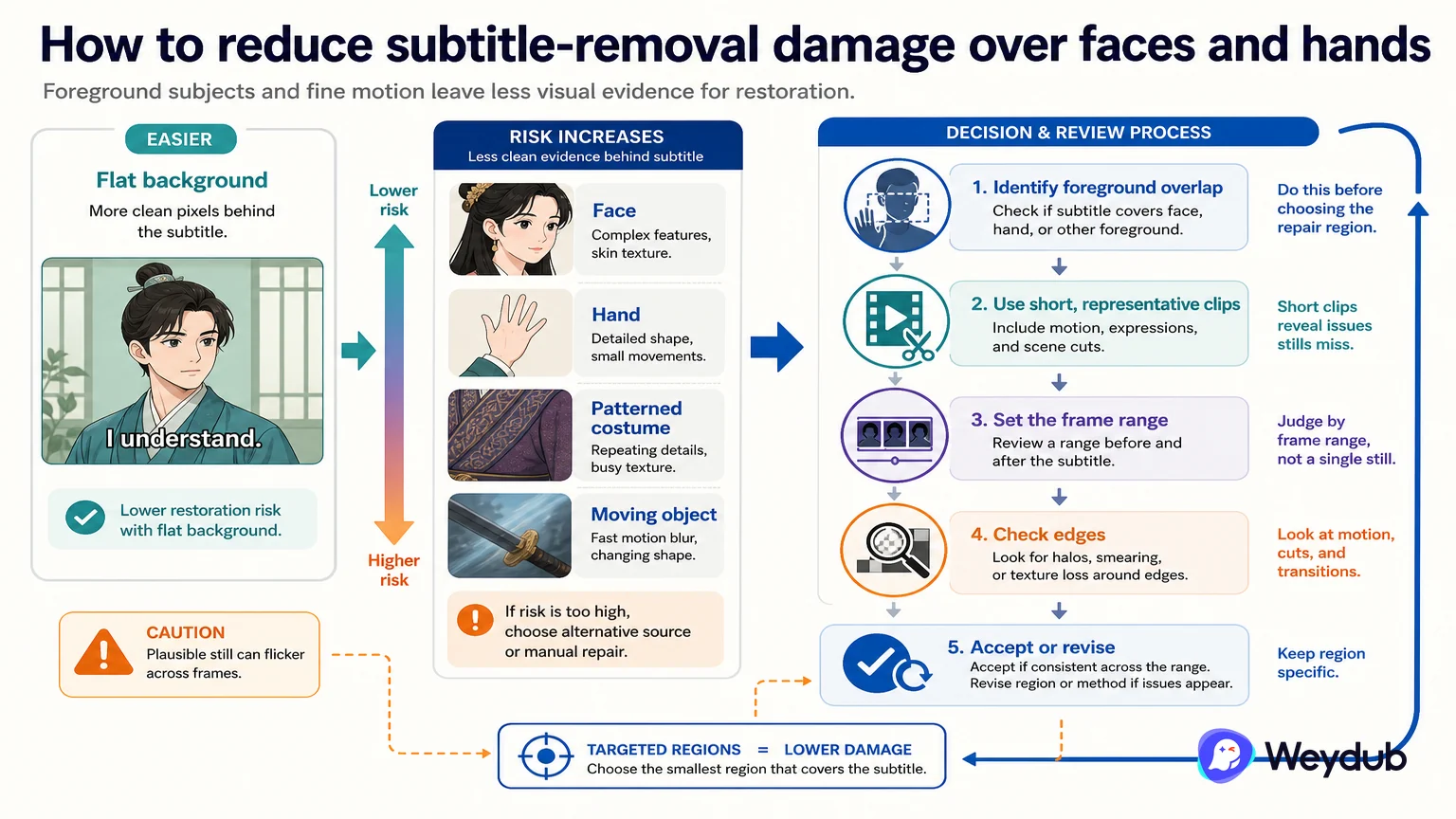
Direct answer: Moving-background subtitle removal works best as a controlled picture-restoration task: identify the subtitle region, separate it from protected content, restore the background over time, and review difficult frames.
Checklist
- Start with representative shots that include motion, cuts, faces, hands, and changing contrast.
- Use region policy to protect important picture content instead of defaulting to full-screen processing.
- Review temporal consistency and export a clean master before downstream translation or dubbing.
A static crop can hide a subtitle, but it also removes picture and changes the composition. On a moving background, the repair has to infer what belongs behind the text across frames. The difficult cases are not only fast motion: faces, hands, fine patterns, scene cuts, and animated captions can all change the risk.
A practical test begins with a small sample. Mark where the text appears, note whether the region moves, and check how the result behaves when the subtitle changes position or overlaps a foreground subject. If the source contains several text systems, keep them as separate regions when that improves control.
The cleaned output is a new source version, not proof that every downstream language task is complete. Freeze it, link it to the original, and run subtitle extraction or translation from the version that was actually reviewed.
Related theme: Localization capabilities
Sources and scope. Weydub subtitle-removal technology explainer; Weydub public review and version workflow documentation. Checked 2026-08-25.