
Material transfer
Why do short-drama projects often use cloud-drive handoffs?
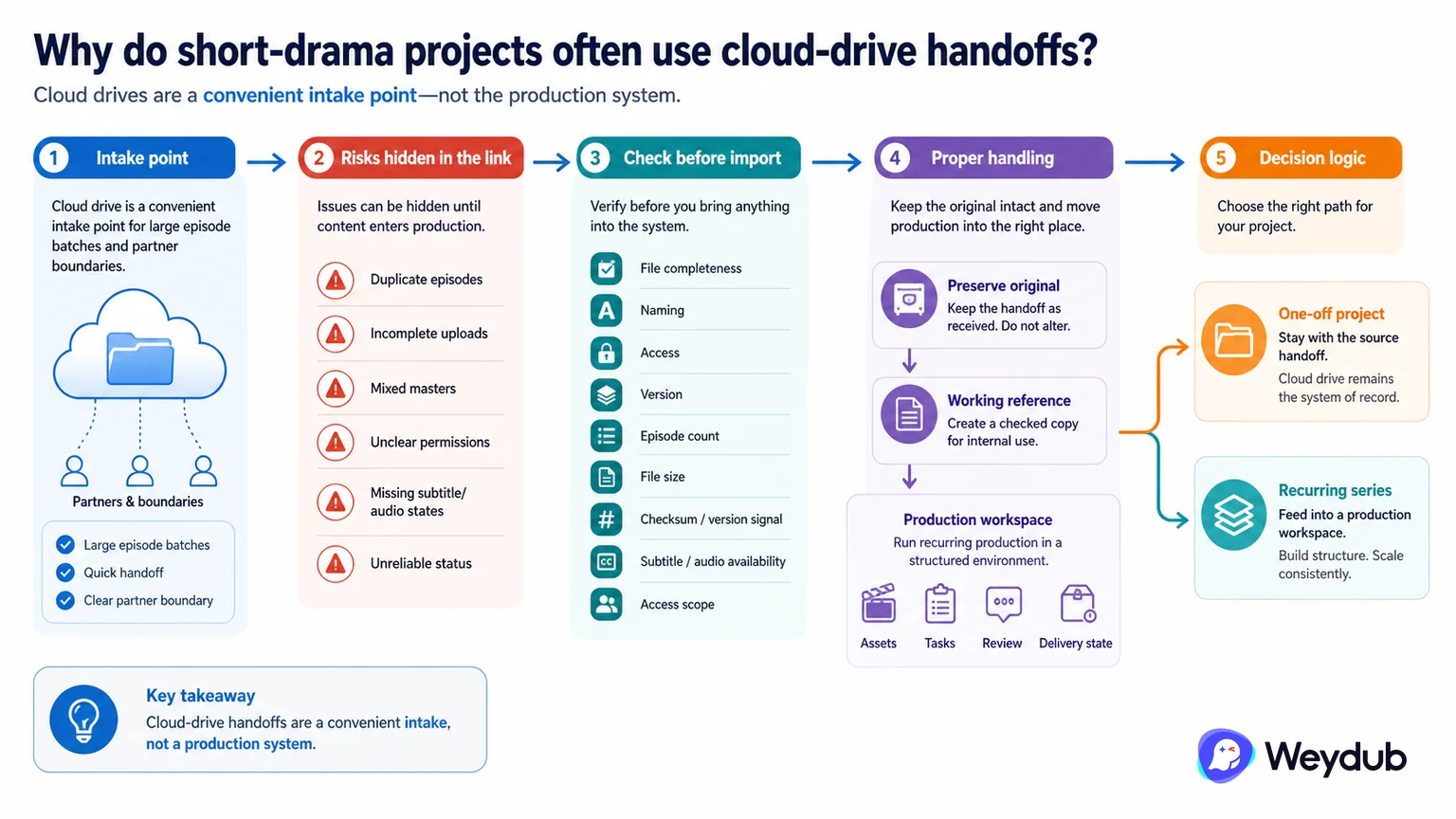
Large episode batches, partner boundaries, and familiar sharing habits can make a cloud drive an intake point, but it should not become the production system.
Key conclusions
- Check file completeness, naming, access, and version before processing.
- Record the handoff without changing the original files.
- Move recurring production into structured assets, tasks, review, and delivery state.
A folder link is convenient for moving many large files between rights holders, studios, distributors, and localization teams. It can still hide duplicate episodes, incomplete uploads, mixed masters, unclear permissions, and a lack of reliable status.
Before import, inventory the directory, episode count, file size, checksum or version signal, subtitle and audio availability, and access scope. Preserve the original handoff and create a working reference rather than renaming files in place.
For a one-off project, a cloud drive may remain the source handoff. For a recurring series, it should feed a production workspace where assets, tasks, language batches, review decisions, and outputs remain connected.
Use a cloud drive as an intake point, not a production system
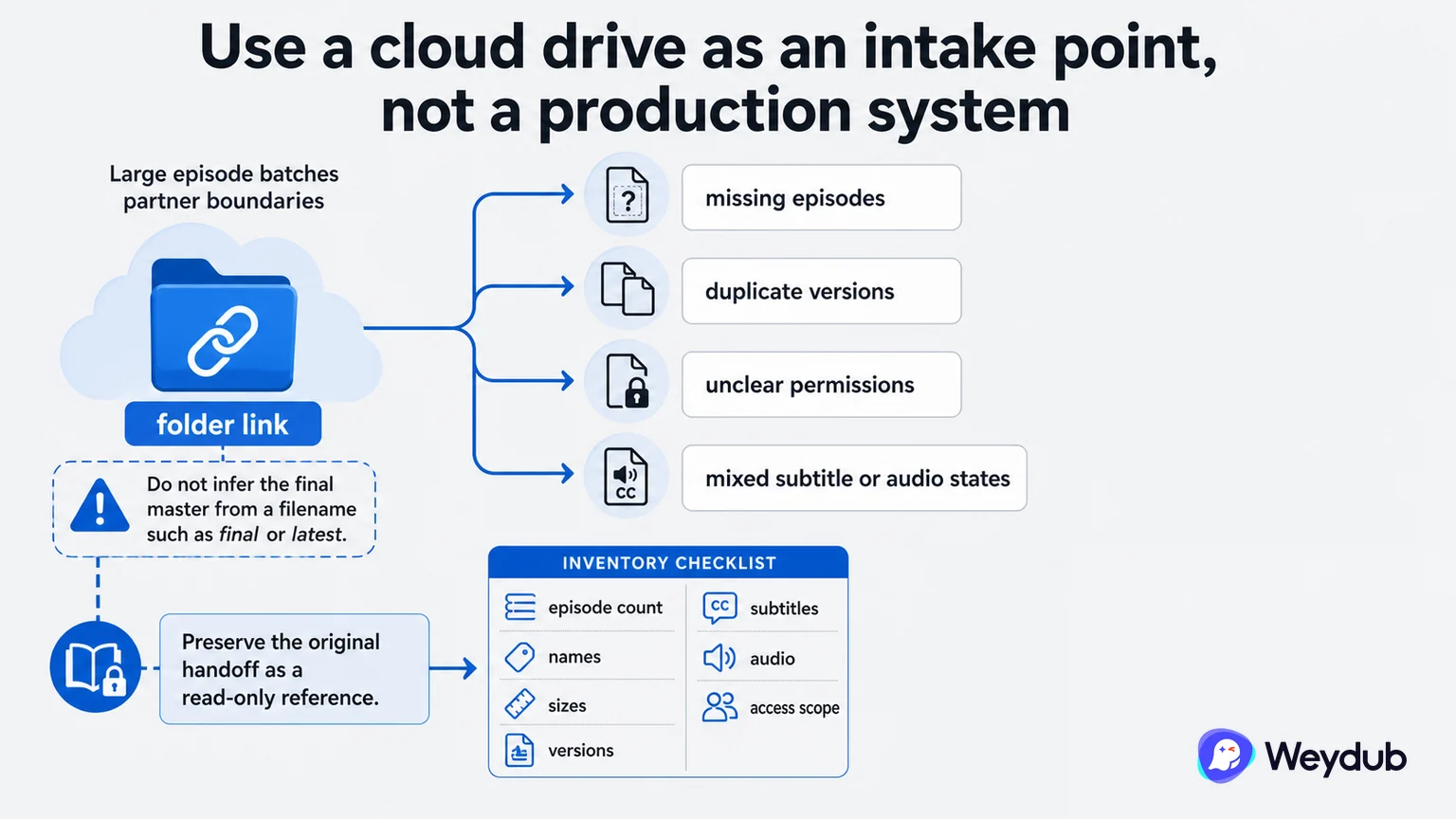
Large episode batches and partner boundaries make cloud-drive handoffs convenient, but a folder link can conceal missing episodes, duplicate versions, unclear permissions, and mixed subtitle or audio states.
- Preserve the original handoff as a read-only reference.
- Inventory episode count, names, sizes, versions, subtitles, audio, and access scope.
- Do not infer the final master from a filename such as final or latest.
Run a material intake check
Before translation or dubbing, compare the directory with the agreed manifest. Confirm every episode can be read, the sequence is complete, the subtitle or audio belongs to the same version, and the share permission matches the contract.
| Check | Question | Stop condition |
|---|---|---|
| Completeness | Are all episodes and expected assets present? | Missing or duplicate units |
| Version | Do video, subtitles, and audio match? | Mixed or unknown master |
| Permission | Who can access, download, and share? | Scope conflicts with contract |
| Integrity | Can files be read and processed? | Corrupt or partial upload |
Move recurring work into connected state
For a series, the workspace should connect source assets to language batches, review decisions, outputs, and delivery. Weydub can support the localization work after source acceptance, but it does not replace upstream rights or material acceptance.
- Keep the original package unchanged.
- Download or import into controlled storage.
- Validate one or two episodes end to end.
- Create series, language, task, and review state.
- Deliver approved outputs with lineage.
Frequently asked questions
Should a shared folder be used directly as the production workspace?
It can be an intake route, but recurring production needs structured assets, tasks, review, versions, and delivery state.
Should the original files be renamed in place?
No. Preserve the source handoff and create a controlled working reference.
Related theme: Localization production
Weydub workflow
Take the next production step
Connect episodes, language work, review, and delivery when a short drama needs more than a one-off file transformation.