
Picture cleanup
How to remove bilingual subtitles, floating comments, and on-screen text
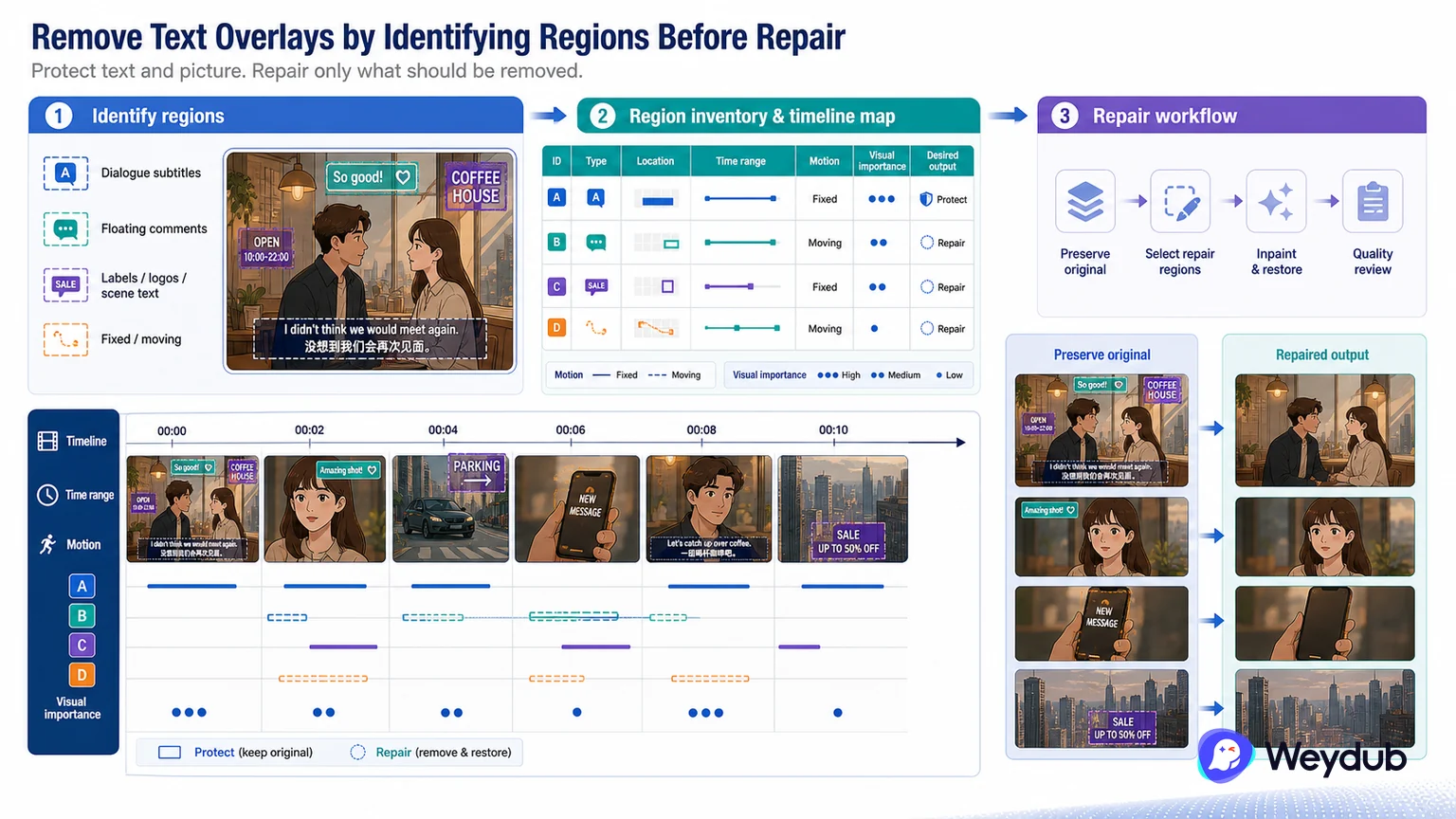
Different text systems should be identified by region and behavior before a repair workflow is selected.
Key conclusions
- Separate dialogue subtitles from floating comments, labels, logos, and scene text.
- Map fixed and moving regions across the timeline.
- Protect text and picture elements that should remain in the localized output.
A bilingual subtitle band may contain two language lines with different baselines, while floating comments may move with the story or appear only for a few frames. Treating them as one full-screen mask increases the chance of removing picture or leaving part of the text behind.
Make a region inventory: location, time range, motion, visual importance, and desired output. Sample scene cuts, overlaps, faces, hands, and low-contrast text before processing a batch.
The result should be a clean, reviewable source version. Preserve the original and link the repaired output to the downstream subtitle or dubbing job rather than replacing the evidence of what was changed.
Identify each text system before selecting a repair
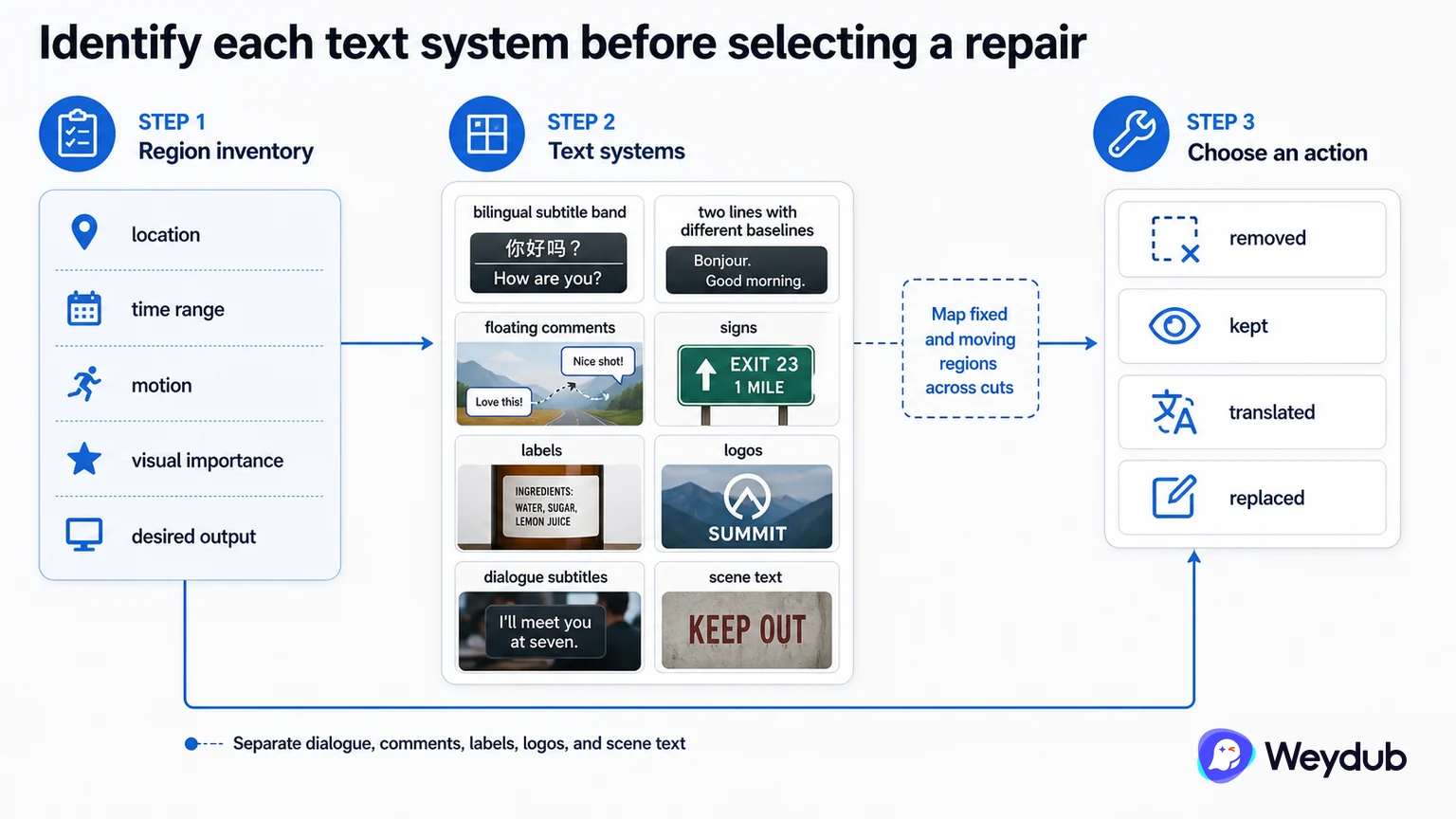
A bilingual subtitle band may contain two lines with different baselines, while floating comments may move with the story or appear for only a few frames. Signs, labels, logos, and dialogue subtitles are different picture elements and should not share one full-screen mask.
Make a region inventory with location, time range, motion, visual importance, and desired output. This protects text and picture elements that should remain in the localized version.
- Separate dialogue, comments, labels, logos, and scene text.
- Map fixed and moving regions across cuts.
- State which text should be removed, kept, translated, or replaced.
Sample motion and overlap, not only a still frame
A region that works on a quiet background may damage a face, hand, costume, or moving object at the next frame. Sample scene cuts, overlaps, low-contrast text, and text that appears or disappears during motion before processing the batch.
Preserve the original and link the repaired source to the downstream subtitle or dubbing job. A clean-looking export without its source relationship is difficult to review or replace.
| Text type | Typical risk | Review focus |
|---|---|---|
| Bilingual band | Different lines and baselines | Region separation and line completeness |
| Floating comment | Motion and short duration | Tracking, entry, exit, scene cut |
| Scene text | Should remain or be translated | Semantic and rights decision |
| Logo or label | May be protected content | Keep/remove policy and output scope |
Approve the clean source as a continuous sequence
The result should be a reviewable source version, not just a successful request. Check frame sequences and dependent subtitle or voice outputs, then record which regions and time ranges were changed.
- Inventory text regions and desired treatment.
- Sample representative motion and picture overlap.
- Process the smallest valid region and time range.
- Review continuous playback and downstream assets.
- Link the repaired version to the original and approval state.
Frequently asked questions
Can all visible text be removed with one mask?
Usually not. Dialogue, floating comments, scene text, and logos can have different regions, motion, and keep/remove decisions.
Is a clean screenshot enough to approve subtitle removal?
No. Review continuous playback, especially around cuts, faces, hands, motion, and text entry or exit.
Related theme: Localization capabilities
Weydub workflow
Take the next production step
Start with the source condition and choose a focused workflow for subtitle extraction, picture cleanup, or language production.