
OCR troubleshooting
OCR subtitles have too many errors: a troubleshooting checklist
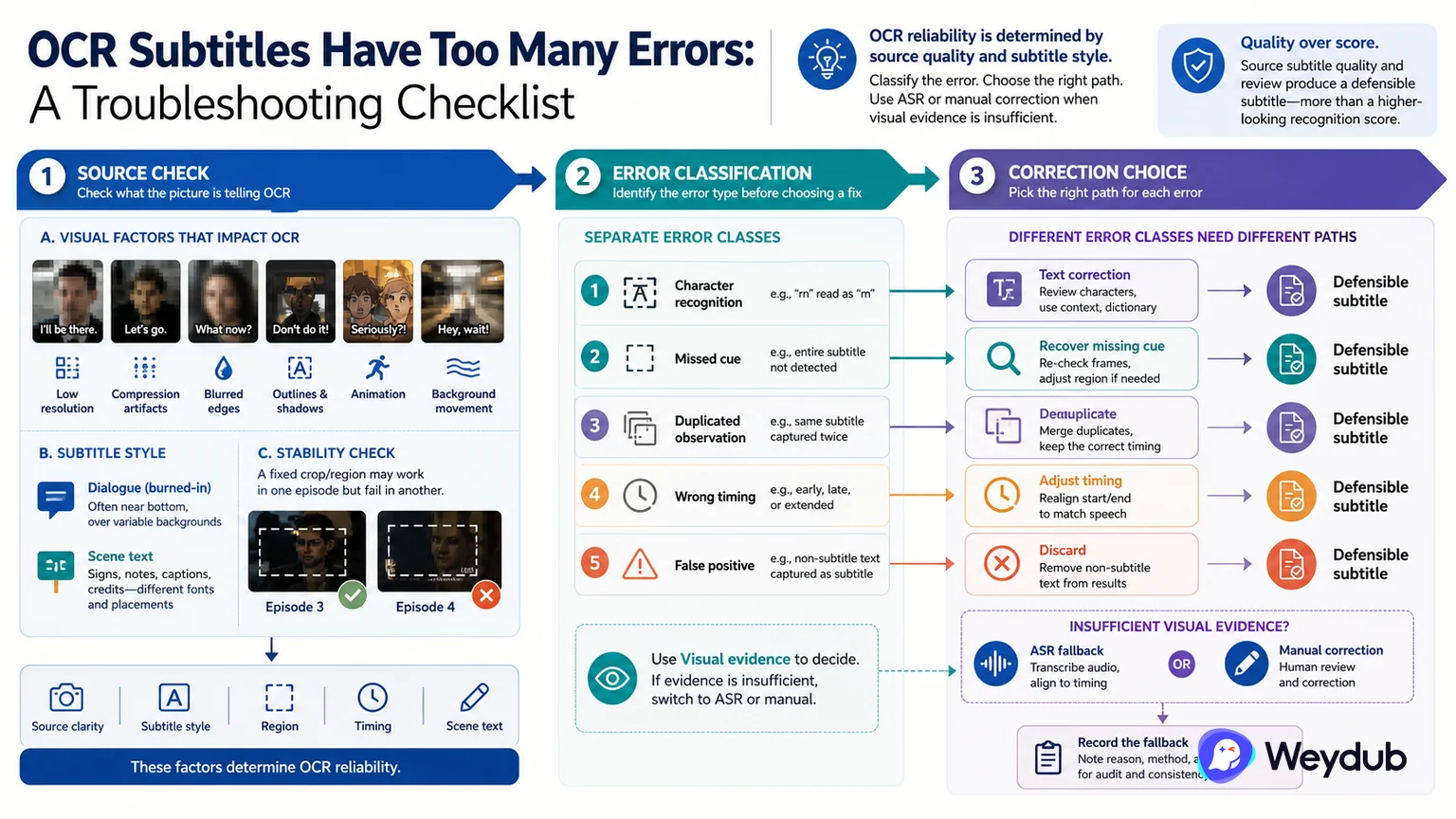
Recognition quality depends on resolution, compression, font, contrast, region, motion, and whether the text is dialogue or scene text.
Key conclusions
- Check source clarity and subtitle style before changing the model or language.
- Separate region, temporal, and scene-text errors.
- Switch to ASR or manual correction when the visual evidence is insufficient.
Start with the picture. Low resolution, compression, blurred edges, outlines, shadows, animation, and background movement can all change what the OCR system sees. A fixed region that works in one episode may cut off or include the wrong content in another.
Then classify the error: character recognition, missed cue, duplicated observation, wrong timing, or false positive from a sign or title. Each class needs a different correction. Repeating the same crop or running the whole episode again may not address the cause.
If the source does not provide enough visual evidence, use speech or a supplied script as a second path and record the fallback. The goal is a defensible source subtitle, not a higher-looking recognition score without review.
Check the source before changing the model
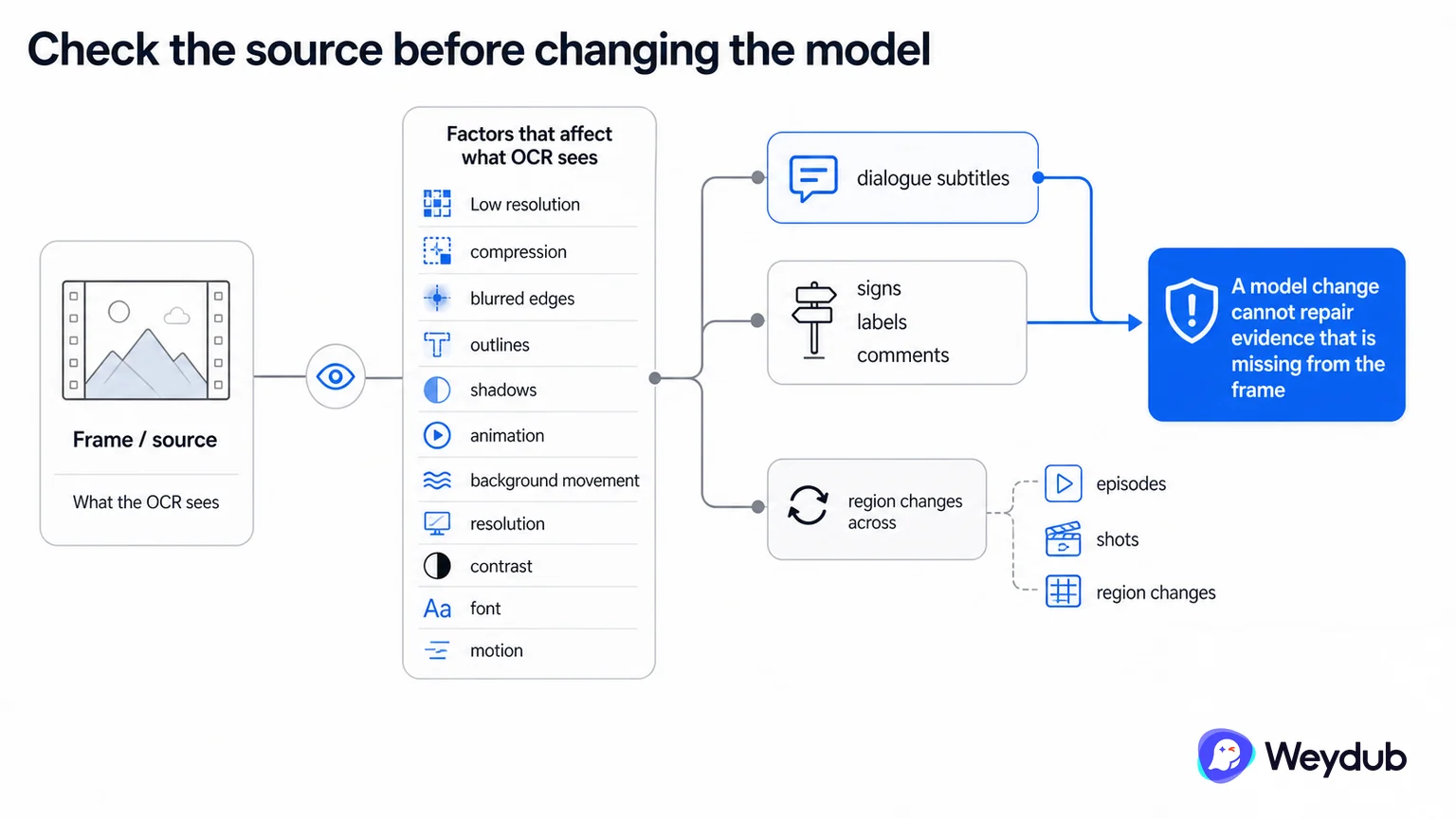
Low resolution, compression, blurred edges, outlines, shadows, animation, and background movement can all change what OCR sees. A fixed region that works in one episode may cut off or include the wrong content in another.
Start by recording source clarity, subtitle style, region, motion, and whether the text is dialogue or scene text. A model change cannot repair evidence that is missing from the frame.
- Inspect resolution, compression, contrast, font, and movement.
- Separate dialogue subtitles from signs, labels, and comments.
- Check whether the region changes across episodes and shots.
Classify the defect before reprocessing
Character recognition, missed cue, duplicated observation, wrong timing, and false positive each need a different correction. Repeating the same crop or running the whole episode again may not address the cause.
When visual evidence is insufficient, use speech or a supplied script as a second path and record the fallback. The goal is a defensible source subtitle, not a higher-looking recognition score without review.
| Defect | Likely cause | Next action |
|---|---|---|
| Wrong character | Resolution, font, contrast | Inspect source and correction policy |
| Missed cue | Region, motion, cut | Adjust region or sample condition |
| Duplicate cue | Temporal grouping | Change aggregation and filtering |
| False positive | Scene text or logo | Classify and filter region |
| Bad timing | Cue construction | Review against speech and cuts |
Use a fallback when visual evidence is weak
ASR, source script, manual correction, or a clean master can provide a second path. Keep the fallback explicit so later translation and dubbing do not inherit an uncertain subtitle without knowing how it was created.
- Inspect source and classify the defect.
- Correct region, timing, grouping, or filtering as appropriate.
- Compare OCR with audio or script evidence.
- Mark unresolved cues for human review.
- Approve the source track before downstream localization.
Frequently asked questions
Should a low OCR score always trigger a model change?
No. First determine whether the defect comes from source quality, region, temporal grouping, scene-text filtering, or cue construction.
When should ASR be used as a fallback?
Use it when the audio provides stronger evidence than the picture, while recording the separate source path and review decision.
Related theme: Localization capabilities
Weydub workflow
Take the next production step
Start with the source condition and choose a focused workflow for subtitle extraction, picture cleanup, or language production.