
ASR troubleshooting
ASR subtitles are inaccurate: check audio, speakers, and terminology first
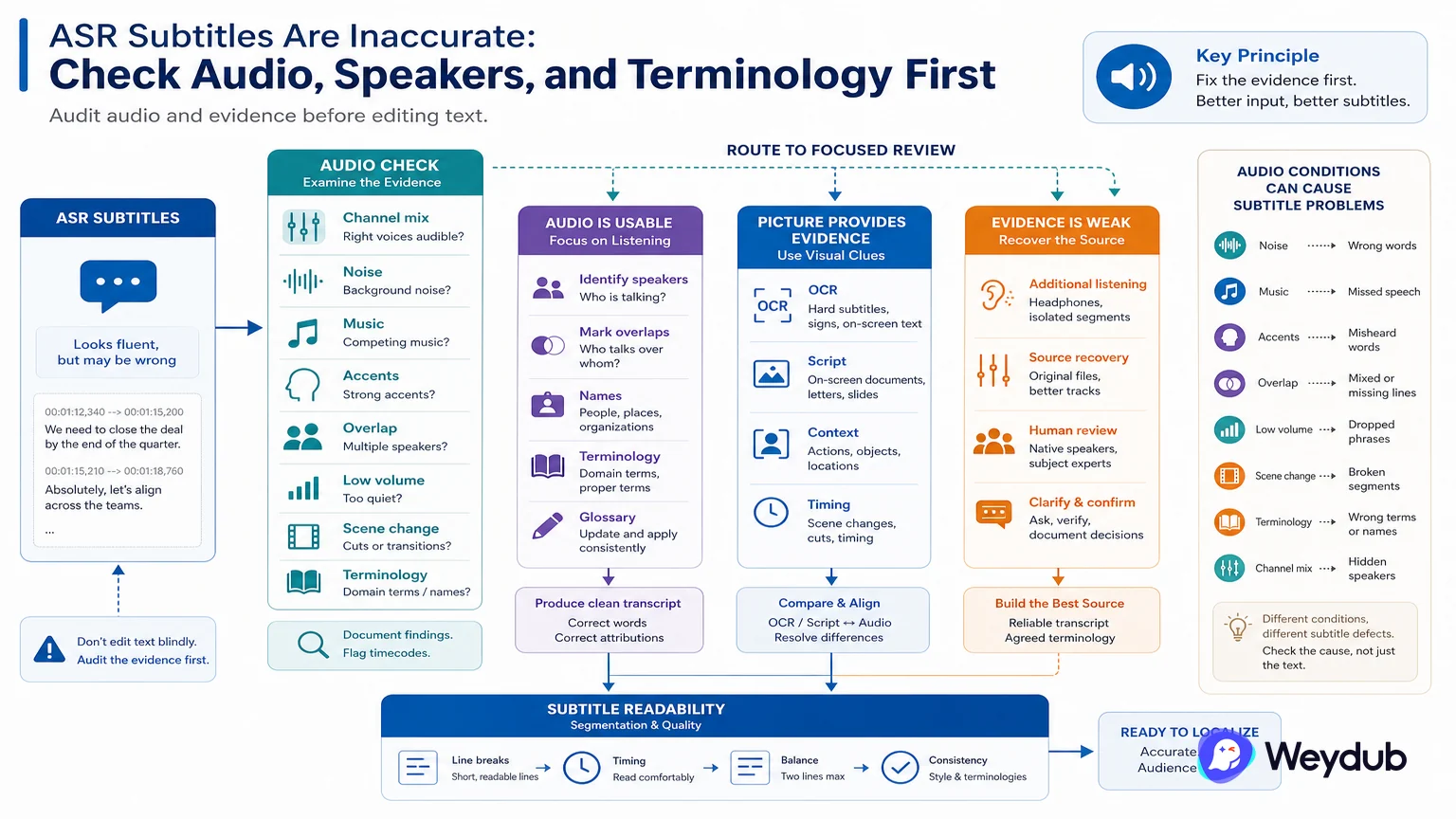
Noise, music, accents, overlapping speakers, low volume, segmentation, and missing terms can all produce different subtitle defects.
Key conclusions
- Inspect the audio track and channel mix before changing text settings.
- Mark speakers, overlaps, names, and domain terms for focused review.
- Use OCR or a script as a second source when the picture contains useful evidence.
An ASR transcript can look fluent while assigning the wrong word to a name, merging speakers, or placing a line across a scene change. Listen to the difficult cues with the picture and classify the error before editing.
Audio preprocessing may help some sources, but it does not replace context. A glossary can protect names and terms; speaker handling can separate overlapping dialogue; subtitle segmentation can make a correct transcript readable.
When a clean hard subtitle is visible, OCR may provide a useful comparison. When neither picture nor audio is reliable, the workflow should say so and route the uncertain section to a human or source-script recovery step.
Listen to the source before editing words
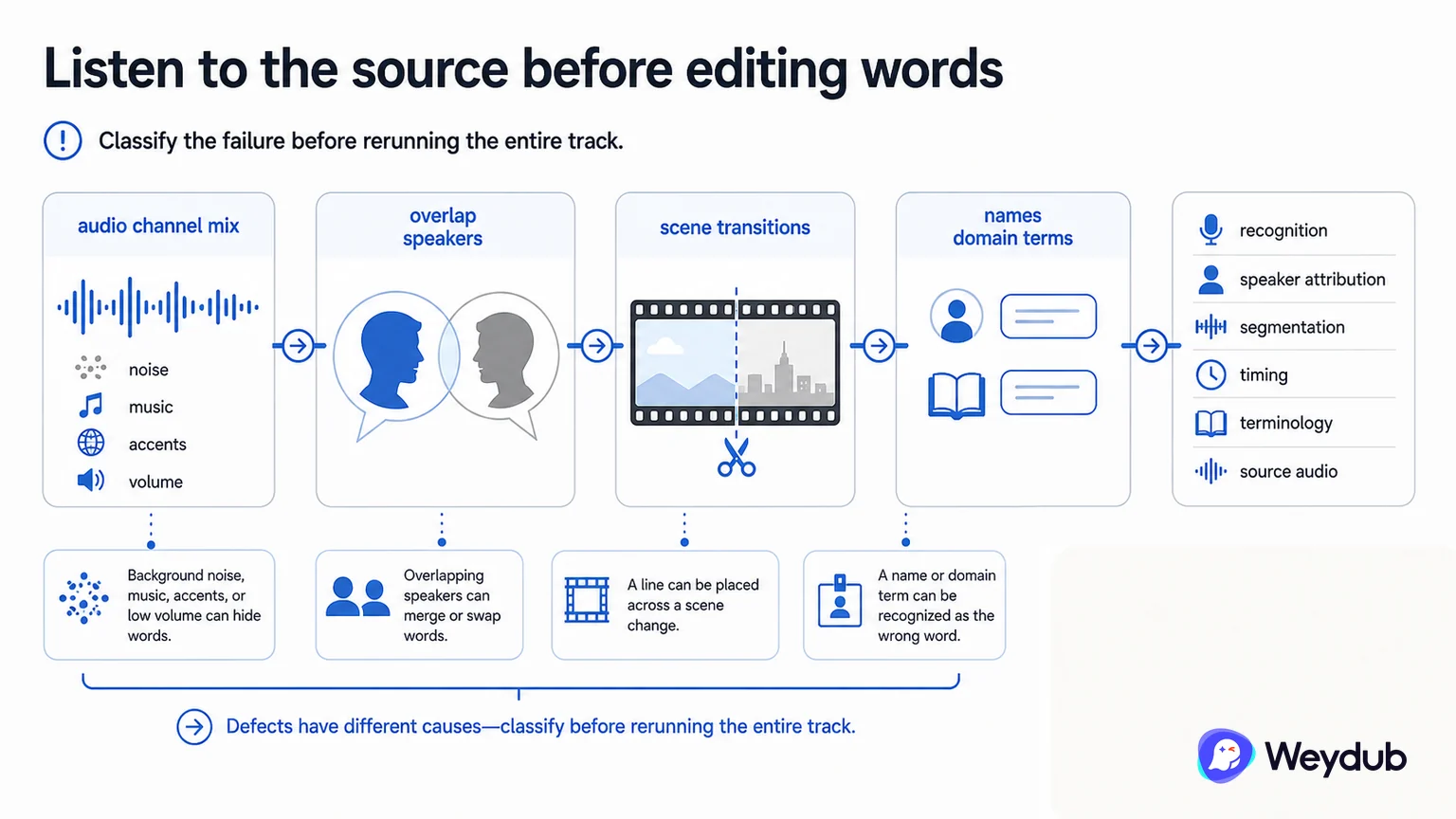
An ASR transcript can look fluent while assigning the wrong word to a name, merging speakers, or placing a line across a scene change. Inspect audio channel mix, noise, music, accents, volume, overlap, and scene transitions before changing text settings.
Different defects have different causes: recognition, speaker attribution, segmentation, timing, terminology, or source audio. Classify the failure before rerunning the entire track.
- Check audio quality and channel mix.
- Mark speakers, overlap, names, and domain terms.
- Review timecodes against speech and picture.
Use context and a second source
A glossary can protect names and terms; speaker handling can separate overlapping dialogue; subtitle segmentation can make a correct transcript readable. When a clean hard subtitle is visible, OCR can provide a comparison. When neither path is reliable, route the cue to a script or human recovery step.
| Problem | What to inspect | Possible response |
|---|---|---|
| Wrong word | Audio clarity and terminology | Correct with context or glossary |
| Wrong speaker | Overlap, picture, off-screen voice | Mark role and review attribution |
| Unreadable cue | Segmentation and density | Rebuild subtitle unit and timing |
| Scene mismatch | Timecode and shot change | Retiming and neighboring cues |
| Uncertain source | Audio and picture evidence | Use script, OCR, or human fallback |
Approve the source before downstream work
Once the source subtitle is corrected, preserve it as an approved input for translation or dubbing. If a later language edit reveals a source problem, route the correction upstream and record which dependent outputs need rechecking.
- Inspect audio and classify the defect.
- Correct recognition, speaker, terminology, or timing.
- Compare with OCR or source script where useful.
- Review high-risk cues with picture and sound.
- Freeze the source subtitle before translation or dubbing.
Frequently asked questions
Can a fluent ASR transcript be accepted without listening?
No. Fluency does not prove names, speakers, timing, or scene alignment. Difficult cues need audio-picture review.
Should every ASR defect be fixed in the translated subtitle?
Fix the source when the source recognition or timing is wrong, then propagate the approved correction to dependent versions.
Related theme: Localization capabilities
Weydub workflow
Take the next production step
Start with the source condition and choose a focused workflow for subtitle extraction, picture cleanup, or language production.